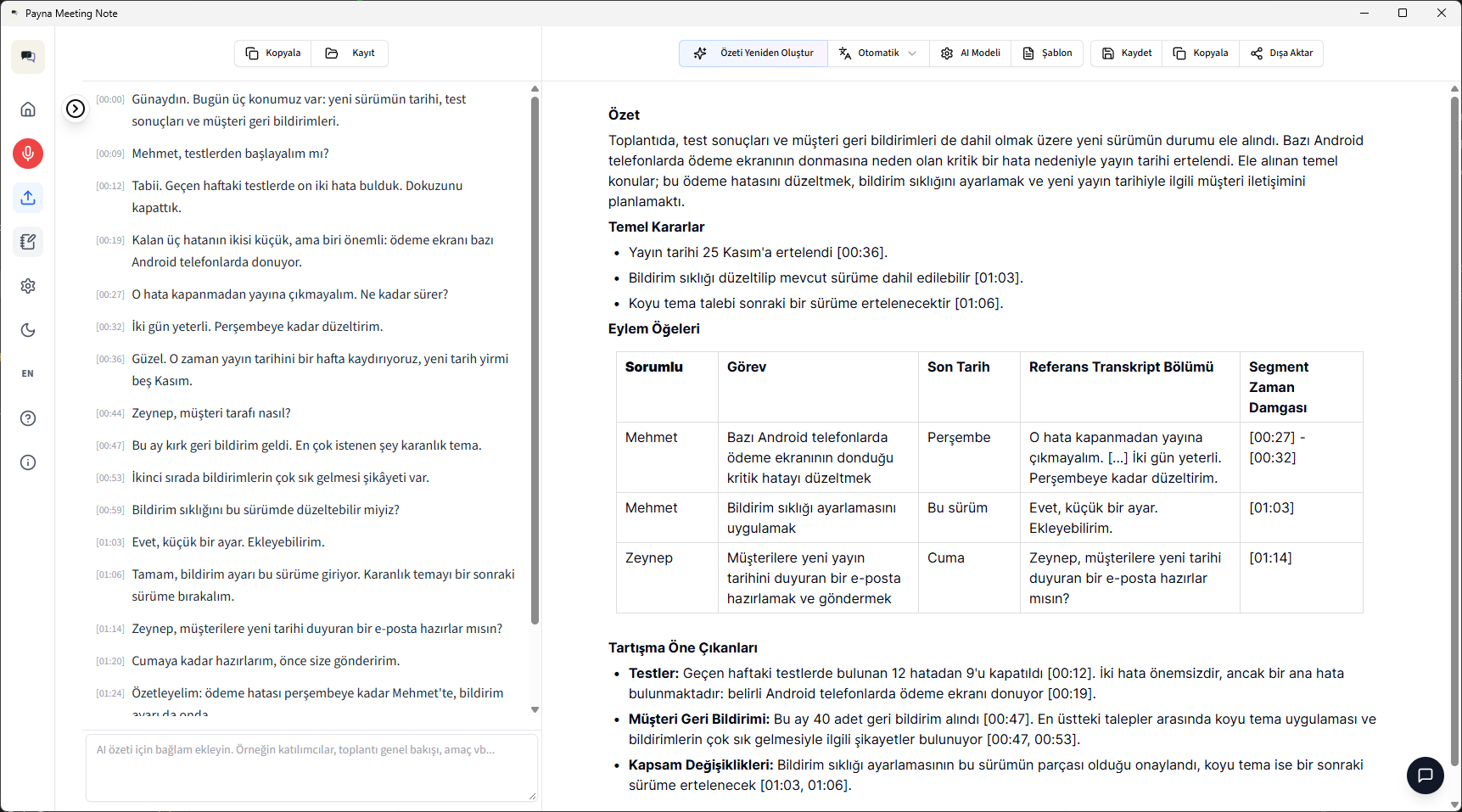
Hit record. It does the rest.
-
Record
Start recording when the meeting begins. It records your microphone and your computer's audio together. No bot joins the meeting.
-
Transcribe
It turns the conversation into text on your computer.
-
Summarize
When the meeting ends, the summary and action items are ready.
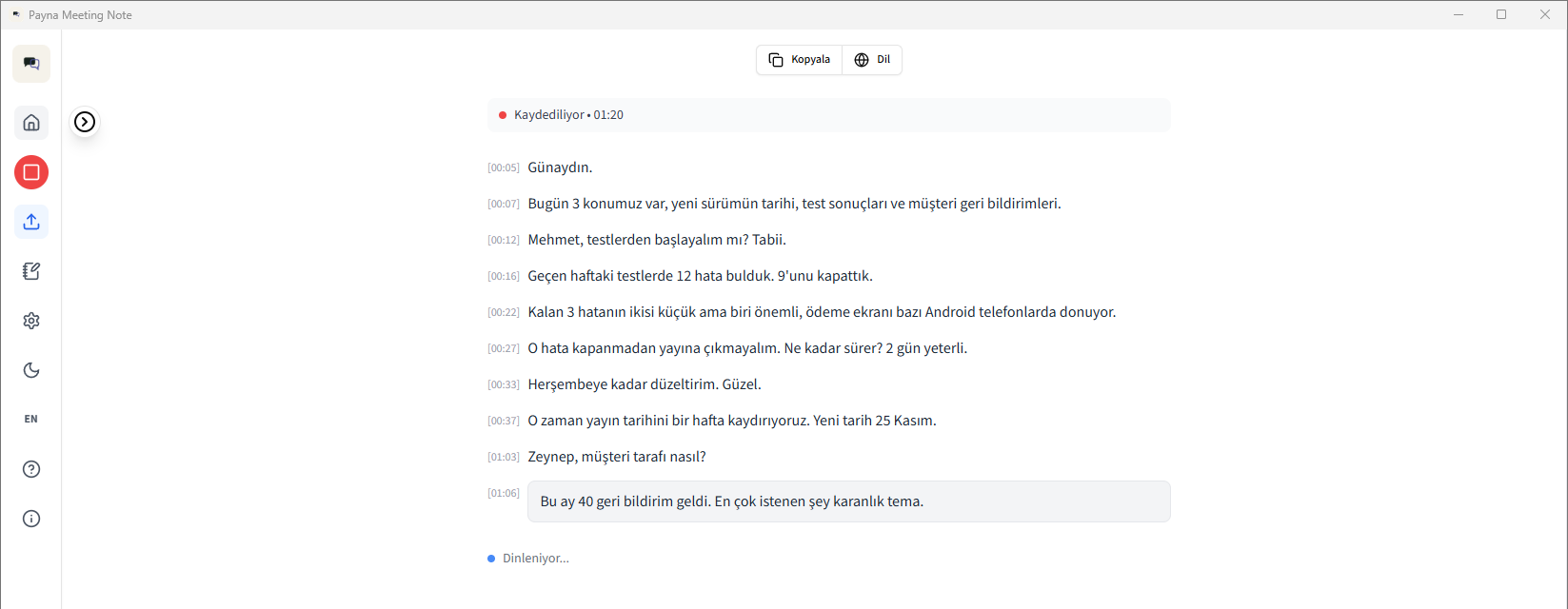
With local models, your meetings stay on your computer.
Recording and transcription always happen on your computer. When you use a local model for summaries, your meetings are never uploaded to a server. No account needed in the app.
Only with your permission:
- Usage statistics are off by default. You can turn them on if you like.
- Feedback is sent only if you send it.
You talk. It takes the notes.
35 languages
Transcribes in 35 languages. Turkish is free and unlimited.
Summary templates
Pick a summary format that fits the meeting: standard meeting, daily stand-up and more.
Uses your graphics card
Detects your computer's graphics card and speeds up with it; without one, it runs on the CPU.
One-click setup
The installer checks your computer, downloads the right build and installs it.
Summary read aloud
Reads the summary aloud in a natural voice in 31 languages. Turkish also has a lighter voice. The voice downloads on first use, then works offline.
Automatic language detection
It recognizes the meeting language, so you don't have to pick it.
If you like, you can connect a cloud service of your choice for summaries: Claude, Groq, OpenRouter or your own OpenAI-compatible service.
Start free. Grow with your organization.
Free
Sign up with your email and download right away.
- Recording, transcription and summaries
- Turkish: unlimited
- English: 90-day trial
- Other languages: 30-day trial
- Templates: Standard meeting and Daily meeting
All trials start together the first time you open the app. When a trial ends, transcription in that language stops and the app switches back to Turkish. Your earlier recordings and summaries stay.
Enterprise
Get a quote for an enterprise membership. If it doesn't meet your expectations within 60 days, you get your money back.
- All 35 languages with no time limit; it detects the meeting language itself
- Templates for your needs (sales meeting, sprint planning and more); create your own too
- Summary read aloud
- Enterprise membership management makes team use easy to manage
- Integration with your CRM, calendar and in-house apps, so decisions move forward automatically
- Mobile app: record face-to-face meetings in the field with your phone
The license code activates once online, then works offline for 30 days.
Installs in four steps.
The installer checks your computer and picks the right build. You confirm or change the install location. If there isn't enough disk space, it warns you.
-
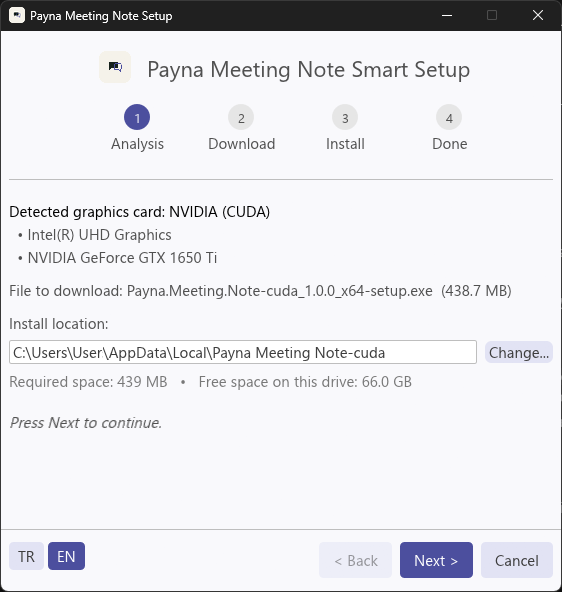 1 Analysis
-
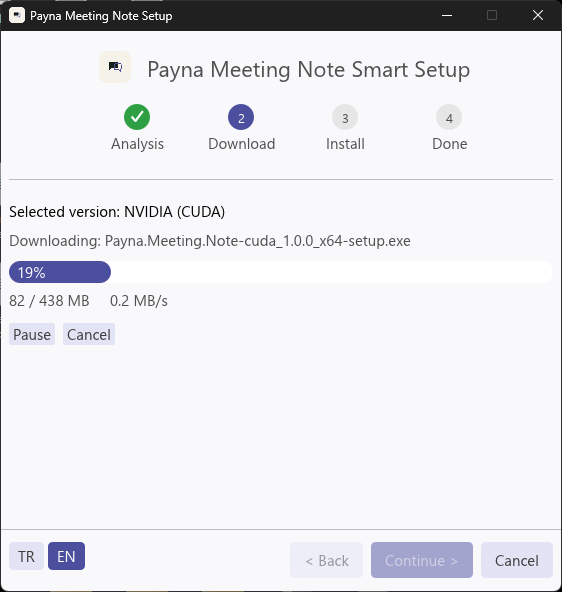 2 Download
-
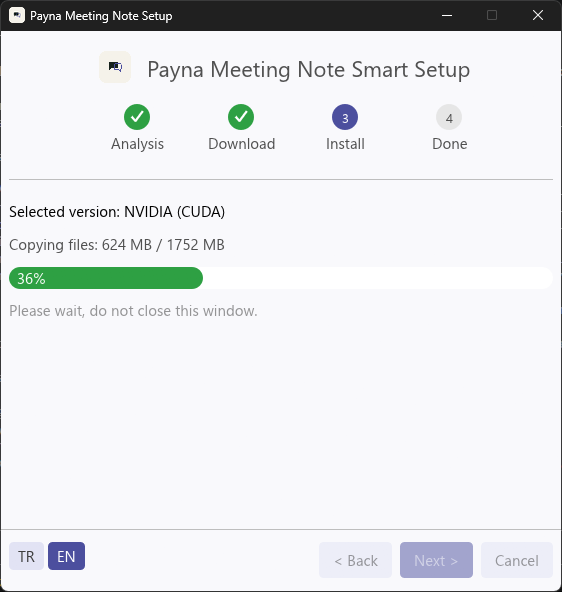 3 Install
-
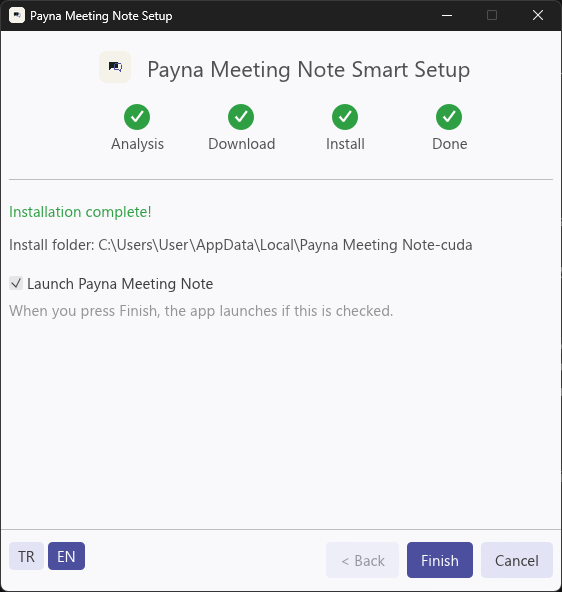 4 Done
Frequently asked questions
Do I need an internet connection?
Only for setup, the first launch and the first time you use read-aloud. After that, recording, transcription and summaries work offline. Without a connection, the update check skips quietly. In the Enterprise edition, the license renews in the background whenever you're online; without internet it keeps working for 30 days. If you connect a cloud service for summaries, that service needs internet.
Are my meetings sent anywhere?
Not with local models: your meetings, recordings and summaries never leave your computer. If you connect a cloud service of your choice for summaries, the transcript goes only to that service. The Privacy section lists what depends on your permission. Beyond that, only setup and update files, AI models and read-aloud voices are downloaded; in the Enterprise edition, the license code and a one-way fingerprint of the computer go to Payna's server for the license check. Meeting content is never sent.
How long can I use the free edition?
Turkish has no time limit. You can try English for 90 days and other languages for 30 days. All trials start the first time you open the app. When a trial ends, transcription in that language stops and the app switches back to Turkish. Your earlier recordings and summaries stay.
Which computers does it run on?
You need Windows 10 or 11 (64-bit) and a processor with AVX2. Most processors released since about 2015 have it. 16 GB of memory is recommended. It uses your graphics card; without one, it runs on the CPU, just slower.
The standard build is about a 41 MB download and takes 160 MB once installed. The accelerated build for some graphics cards is about 421 MB and takes 1.6 GB. The installer picks the right one for you. The transcription and summary models download separately on first launch and take up a few GB, depending on the model you choose.
Can it record Zoom, Teams or Google Meet meetings?
Yes. It records your microphone and your computer's audio together, so the other participants are captured too. No bot joins the meeting, and no connection or integration is needed.
Can we use it on a closed network without internet?
Yes, with the Enterprise edition. We provide an offline activation code for closed networks.
How do we roll out the Enterprise license to all computers?
Your IT team can push the license code to every computer at once through the registry. The code activates once online, then works offline for 30 days.
Who do I contact about the Enterprise edition?
Write to us through our contact page and we'll prepare a quote for you.
Try it in your next meeting.
Free for personal use
Your download has started.
If it didn't, click here. See the setup steps
For your organization? Contact us